
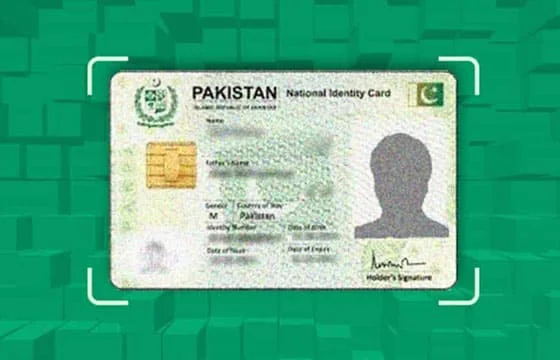
Pakistan’s most complete guide to checking all SIM details linked to your CNIC. New 2026 PTA rules explained. 180-day inactive SIM rule, DIRBS updates, and complete step-by-step verification guide. Free, official, instant.
Check Your CNIC SIM Details Right Now
Fastest method: Open Messages → Type 13-digit CNIC (no dashes) → Send to 668 → Results in 30 seconds.
Free alternative: Visit cnic.sims.pk → Enter CNIC → Zero cost with registration dates.
What Are CNIC SIM Details and Why They Changed in 2026
CNIC SIM details refers to the complete record of every SIM card currently registered under your Computerized National Identity Card (CNIC) in PTA’s national database — including the network operator, activation date, biometric verification status, and SIM count per network.
In 2026, PTA made several significant updates to how CNIC SIM details are managed and enforced that every Pakistani must understand:
Update 1 — 180-Day Inactive SIM Rule Any SIM that has not been used for 180 consecutive days — no calls, no SMS, no data activity — is now automatically flagged by PTA for deactivation. This rule was introduced to free up numbers held by inactive users and prevent fraudsters from maintaining dormant SIMs. If you have a SIM you rarely use — check it now and make at least one call or SMS to keep it active.
Update 2 — Real-Time NADRA Sync PTA’s SIM database now syncs with NADRA in near-real-time — typically within 24 hours of any registration change. Previously, new SIM registrations could take days or weeks to appear in 668 results. In 2026, if someone registers a SIM on your CNIC today, it should appear in your 668 check within 24 hours. This makes monthly monitoring significantly more effective.
Update 3 — SCOM Full Integration SCOM (SCO’s network for AJK and GB) is now fully included in 668 responses. Previously, SCOM SIMs sometimes did not appear. As of 2026’s biometric re-verification campaign, SCOM SIMs now reliably appear in all CNIC SIM detail checks.
Update 4 — Digital Disowning Request In 2026, PTA introduced the ability to file an initial unauthorized SIM complaint through the digital portal at complaint.pta.gov.pk — though the actual biometric disowning still requires a physical franchise visit. This digitizes the complaint step and creates a reference number before you visit the franchise.
Update 5 — Stricter DIRBS Enforcement DIRBS enforcement was tightened in 2026 with faster automated blocking timelines and expanded monitoring of data-only SIMs in addition to voice SIMs.
Complete Step-by-Step Guide — How to Check CNIC SIM Details
Method 1 — SMS 668 (Fastest, Works on Any Phone)
Step 1: Open the Messages app on any phone — smartphone or basic feature phone Step 2: Create a new SMS message Step 3: Type your complete 13-digit CNIC number with NO dashes, NO spaces, NO separators Step 4: Correct: 3520112345671 | Wrong: 35201-1234567-1 Step 5: Send this message to 668 Step 6: Wait 5–30 seconds for the reply
Reading your 668 result:
SIMs on CNIC: 3520112345671
Jazz / Mobilink: 2 active
Zong (CMPak): 0 active
Telenor Pakistan: 1 active
Ufone (PTCL): 0 active
SCOM: 0 active
Total: 3 SIMs
How to interpret: Count every SIM card you personally own. If the 668 total is higher than your personal count — unauthorized SIMs exist.
Common 668 mistakes:
- Including dashes in CNIC — returns error
- Sending from a roaming number — results may be delayed
- CNIC has expired — still works, but update your CNIC at NADRA
| Feature | Details |
|---|---|
| Code | 668 |
| What to send | 13-digit CNIC without dashes |
| Cost | Rs. 2 + taxes |
| Free zero-cost alternative | cnic.sims.pk |
| Networks covered | Jazz, Zong, Telenor, Ufone, SCOM |
| Works without internet | Yes |
| Works on feature phones | Yes |
| Response time | 5–30 seconds |
Method 2 — cnic.sims.pk (Free, With Registration Dates)
Step 1: Open any browser — Chrome, Firefox, Safari Step 2: Go to cnic.sims.pk Step 3: Enter your 13-digit CNIC number in the provided field Step 4: Complete the security CAPTCHA Step 5: View your complete CNIC SIM details
What cnic.sims.pk shows that 668 does not:
- Exact registration dates for each SIM — critical for proving an unauthorized SIM was registered on a specific date for police and court documentation
- Network-wise visual breakdown — easier to read than SMS text
- Printable results — officially accepted by courts, banks, and police stations as valid documentation
Best for: When you need official documentation, zero-cost checking, checking from abroad, or need registration dates for legal proceedings.
Method 3 — Network USSD Codes (Instant, Free)
Network-specific USSD codes allow instant CNIC SIM checking without internet or SMS charges:
| Network | Dial | What You Get |
|---|---|---|
| Jazz | *321# | All Jazz SIMs on your CNIC |
| Jazz | *661# | Jazz SIM count |
| Ufone | *333# | All Ufone SIMs on your CNIC |
| Zong | *310# | Zong account including SIM status |
| Telenor | *345# | Telenor account and SIM information |
When to use USSD codes: When you need a quick check of one specific network and do not want to spend Rs. 2 on SMS 668. Use 668 for the complete multi-network picture.
Method 4 — Operator Mobile Apps (Most Detailed)
Network apps provide the most detailed CNIC SIM information available digitally:
| Network | App Name | CNIC SIM Info Location |
|---|---|---|
| Jazz | Jazz World | Account → My SIMs |
| Zong | My Zong | Account → SIM Management |
| Telenor | MyTelenor | Account → My Information |
| Ufone | My Ufone | My Profile → Account Information |
Each app shows all SIMs on your CNIC for that specific network, plus registration dates, biometric status, and additional account details.
Method 5 — Operator Franchise Visit (Most Thorough)
For the most complete and legally authoritative CNIC SIM detail check — including specific unauthorized SIM numbers (not just counts) — visit the operator’s franchise in person.
What to bring: Original CNIC (mandatory) + written CNIC copy with “Only for account verification — Not for SIM issuance” watermark.
What a franchise provides that 668 cannot: The specific mobile numbers of all SIMs on your CNIC for that operator — not just the count. This is the only way to know exactly which unauthorized numbers are registered under your name.
2026 PTA CNIC SIM Rules — What Every Pakistani Must Know
Rule 1 — Maximum 5 Voice SIMs Per Operator PTA allows maximum 5 voice SIM cards per operator per CNIC. Across all 5 operators (Jazz, Zong, Telenor, Ufone, SCOM) — maximum 25 total voice SIMs.
Rule 2 — Maximum 3 Data SIMs Per Operator Data-only SIMs (for mobile broadband devices, tablets, routers) are limited to 3 per operator per CNIC.
Rule 3 — 180-Day Inactive SIM Deactivation (2026 Update) SIMs with zero activity for 180 consecutive days are automatically flagged for deactivation. Make at least one call, SMS, or data session every 6 months on each of your SIMs.
Rule 4 — Biometric Verification is Permanent Requirement Every SIM must maintain valid biometric verification through NADRA. Unverified SIMs face progressive service restrictions and permanent blocking after 120 days. No exceptions.
Rule 5 — DIRBS Automatic Enforcement PTA’s DIRBS system enforces all rules automatically with zero human intervention and zero prior warning. No appeal process exists for most automatic blocks.
Rule 6 — CNIC Holder Legal Responsibility You are legally responsible for all activity on every SIM registered under your CNIC — even SIMs you never personally registered. Monthly CNIC SIM checks are your legal protection.
Special Cases — CNIC SIM Checking for Different Situations
Overseas Pakistanis
You can check CNIC SIM details from anywhere in the world via cnic.sims.pk — just internet access and your CNIC number needed. For NICOP (National Identity Card for Overseas Pakistanis) holders, enter your NICOP number instead of CNIC on the portal.
Expired CNIC
You can still check 668 with an expired CNIC number — the number itself does not change when CNIC expires. However, visit NADRA immediately to renew your CNIC. Expired CNICs are more vulnerable to unauthorized SIM registration as fraudsters know the real owner is less likely to be monitoring.
Recently Lost or Stolen CNIC
Check 668 immediately. Then file a police report, alert NADRA, and visit operator franchises to verify and preemptively flag your account. Check 668 daily for the next two weeks after CNIC loss.
Deceased Family Member’s CNIC
Check 668 for deceased family members’ CNICs until their CNIC is formally cancelled at NADRA. Their CNIC number may remain valid for years after death and is a common target for unauthorized SIM registration.
Foreign Nationals
Foreign nationals in Pakistan can have up to 3 SIM cards using their passport. Use cnic.sims.pk’s “Foreign ID” option to check using your passport number.
Children’s CNICs
Children receive CNICs in Pakistan from a young age. Their CNIC SIM details should be checked regularly as children are common targets for unauthorized registration. Check via 668 using the child’s CNIC number.
What CNIC SIM Details Tell You — And What They Cannot Tell You
What checking CNIC SIM details CAN tell you:
- Total number of SIMs registered per operator on your CNIC
- Whether you are approaching or exceeding PTA’s SIM limits
- Which operators have unauthorized SIMs if counts exceed your personal registrations
- Registration dates via cnic.sims.pk
- Specific mobile numbers at operator franchise visits
What checking CNIC SIM details CANNOT tell you:
- The GPS location of anyone — including yourself
- Call history or call records
- SMS content
- Another person’s SIM details by entering their number
- Complete address information through digital methods
After Finding Unauthorized CNIC SIM Details — Complete Resolution Guide
Stage 1 — Documentation (Day 1) Screenshot 668 result with date and time. List all SIMs you personally own. Identify which operators show excess SIMs. File initial complaint at complaint.pta.gov.pk — get reference number.
Stage 2 — Operator Action (Days 1–3) Visit each operator with excess SIMs (separately — each requires its own visit). Request “SIM Disowning.” Complete biometric verification. Collect written receipts with reference numbers. Each disowning is permanent and irreversible.
Stage 3 — PTA Formal Complaint (Days 1–7) If filing online complaint earlier was not done — call PTA helpline 0800-55055 (free 24/7). Provide all reference numbers from franchise visits.
Stage 4 — FIA Investigation (If Fraud Occurred) File at complaint.fia.gov.pk or call 9911. Bring all evidence: 668 screenshots, franchise receipts, bank statements showing fraud, call logs of harassment.
Stage 5 — NADRA CNIC Security If CNIC was lost or stolen — visit NADRA for replacement and fraud flagging. Request NADRA to flag the lost CNIC number to alert franchise systems.
Stage 6 — Verification Check (48–72 Hours Later) Send CNIC to 668 again after 48–72 hours. Verify disowned SIMs no longer appear. If they still appear — follow up with operator franchise immediately.
Stage 7 — Financial Account Security Contact your bank, JazzCash, Easypaisa, and any other financial service linked to your mobile number. Request security review and PIN changes.
Stage 8 — Monthly Monitoring Continue monthly 668 checks indefinitely. Unauthorized SIM registration can recur if the root cause (lost/stolen CNIC) is not addressed.
Related Posts
- SIM Owner Details Pakistan 2026 — Complete verification guide
- PTA SIM Check Code Pakistan 2026 — All official codes
- CNIC Tracker Pakistan 2026 — CNIC protection guide
- Jazz SIM Owner Details Pakistan 2026
- Zong SIM Owner Details Pakistan 2026
- Telenor SIM Owner Details Pakistan 2026
- Ufone SIM Owner Details Pakistan 2026
- SCOM SIM Owner Details Pakistan 2026
For Pakistan’s free SIM verification tool visit Live Tracker Pakistan.
Frequently Asked Questions
How do I check CNIC SIM details in Pakistan 2026? Send your 13-digit CNIC without dashes to 668 via SMS. Receive all SIMs per operator in 30 seconds (Rs. 2 + tax). Free alternative: visit cnic.sims.pk online. Both methods are official PTA services.
What is the new 180-day inactive SIM rule in 2026? Any SIM with no activity (calls, SMS, or data) for 180 consecutive days is automatically flagged for deactivation by PTA. Make at least one call or SMS every 6 months on each SIM you want to keep active.
How many SIMs can be on one CNIC in Pakistan 2026? Maximum 5 voice SIMs per operator per CNIC (25 total across all operators) plus up to 3 data-only SIMs per operator. Exceeding any operator limit triggers automatic DIRBS blocking.
Can I check CNIC SIM details from outside Pakistan? Yes. Visit cnic.sims.pk from any internet-connected device anywhere in the world. Enter your CNIC or NICOP number to check all SIMs on your Pakistani identity. No Pakistani SIM needed.
What changed in 2026 for CNIC SIM checking? Key 2026 updates: 180-day inactive SIM deactivation rule, near-real-time NADRA sync (24-hour updates), full SCOM integration in 668 responses, digital disowning complaint portal, and stricter DIRBS enforcement timelines.
What if my CNIC is expired — can I still check? Yes — the 13-digit CNIC number remains the same even after expiry. You can still send it to 668 or enter it on cnic.sims.pk. However, visit NADRA immediately to renew your expired CNIC — expired CNICs are more vulnerable to misuse.
How do I get the specific mobile numbers of unauthorized SIMs on my CNIC? 668 shows counts only, not individual numbers. To get the specific mobile numbers, visit the operator’s franchise with your original CNIC and request a complete SIM audit. The franchise can show you each number registered under your CNIC on their network.
Is it legal to check CNIC SIM details for another person? No. You may only check SIM details for your own CNIC or a family member’s CNIC with their explicit consent. Checking another person’s CNIC SIM details without authorization is illegal under PECA 2016 — up to 3 years imprisonment and Rs. 1 million fine.
Disclaimer: livetracker.org.pk operates strictly within Pakistan’s legal framework under PTA regulations and PECA 2016. This guide provides information on official PTA CNIC SIM verification methods for legitimate personal identity protection only.
 LIVE TRACKER
4 thoughts on “Check CNIC SIM Details Pakistan 2026 — Free Complete Guide”