
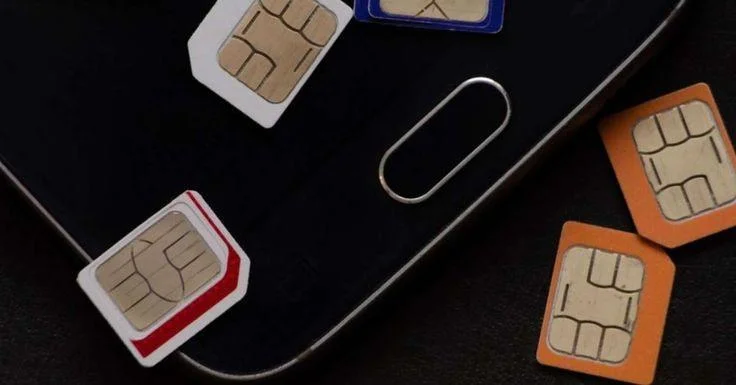
Pakistan’s most complete reference guide to every PTA SIM check code in 2026. All official SMS codes, USSD codes, BVS verification codes, DIRBS compliance codes, and network identification codes — all in one place. Free, instant, 100% official.
Master Code Reference — All PTA SIM Check Codes at a Glance
Before the full guide, here is your complete quick-reference table of every official PTA and network SIM check code in Pakistan 2026:
| Code | What to Send | Send To | What You Get | Cost |
|---|---|---|---|---|
| 668 | Your 13-digit CNIC | 668 | All SIMs on your CNIC across all networks | Rs. 2 + tax |
| 667 | MNP (capitals) | 667 | Owner name + masked CNIC of SIM in your phone | Standard SMS |
| 76367 | Any 11-digit number | 76367 | Which network that number belongs to | Standard SMS |
| 6001 (Jazz BVS) | Your 13-digit CNIC | 6001 | Jazz SIM biometric verification status | Free |
| 7751 (Telenor BVS) | Your 13-digit CNIC | 7751 | Telenor SIM BVS status | Free |
| 7911 (Zong/Ufone BVS) | Letter V | 7911 | Zong or Ufone SIM BVS status | Free |
| 8484 | Your IMEI number | 8484 | PTA device approval status | Free |
| *99# | Dial | Jazz SIM | Jazz SIM info and account status | Free |
| *321# | Dial | Jazz SIM | All Jazz SIMs on your CNIC | Free |
| *310# | Dial | Zong SIM | Zong account menu and SIM status | Free |
| *345# | Dial | Telenor SIM | Telenor account menu | Free |
| *551# | Dial | Telenor SIM | Telenor SIM registration details | Free |
| *336# | Dial | Ufone SIM | Ufone account menu | Free |
| *333# | Dial | Ufone SIM | All Ufone SIMs on your CNIC | Free |
| *725# | Dial | SCOM SIM | SCOM package activation | Free |
| *124# | Dial | SCOM SIM | SCOM balance check | Free |
Save this table. Screenshot it. Every code above is 100% official and PTA-verified.
What is PTA and Why Do These Codes Matter
PTA — Pakistan Telecommunication Authority is Pakistan’s official telecommunications regulator, operating under the Ministry of Information Technology and Telecommunication (MoITT). PTA was established under the Pakistan Telecommunication (Re-organization) Act 1996 and is headquartered in Islamabad.
PTA’s mandate includes:
- Licensing all telecom operators in Pakistan
- Enforcing SIM registration regulations
- Maintaining the national SIM registration database
- Operating DIRBS — the Device Identification, Registration and Blocking System
- Consumer protection against telecom fraud
- Spectrum management and allocation
PTA’s official SIM check codes are the only legal, verified, and government-authorized methods to check SIM registration information in Pakistan. Every other website claiming to provide SIM owner details by entering any number is either operating illegally, showing fabricated data, or harvesting your personal information.
In 2025 alone, PTA detected 4.7 million unauthorized SIM registrations on stolen CNICs across Pakistan. Every 6 minutes, a Pakistani loses money because criminals used their CNIC to register unauthorized SIMs. These PTA codes are your free defense against becoming the next victim.
Code 1 — SMS 668: The Most Important PTA Code in Pakistan
668 is PTA’s official SIM Information System — the single most important free code every Pakistani must use regularly.
How to use 668:
- Open Messages app on any phone — feature phone or smartphone, no internet needed
- Type your 13-digit CNIC without dashes
- Example: CNIC 35201-1234567-1 becomes
3520112345671 - Send to 668
- Receive complete SIM count within 5–30 seconds
What 668 returns:
Total SIMs on CNIC: 35201XXXXXXXX1
Jazz / Mobilink: 2 SIMs active
Zong (CMPak): 1 SIM active
Telenor Pakistan: 0 SIMs
Ufone (PTCL): 1 SIM active
SCOM: 0 SIMs
Total Active: 4 SIMs
668 Service Complete Details:
| Detail | Information |
|---|---|
| Official name | PTA SIM Information System |
| Short code | 668 |
| What to send | 13-digit CNIC (no dashes, no spaces) |
| Cost | Rs. 2 + applicable taxes |
| Free alternative | cnic.sims.pk (zero cost online) |
| Response time | 5–30 seconds |
| Works on | All phones, all 5 networks |
| Internet needed | No |
| Available | 24/7/365 |
| Official authority | Pakistan Telecommunication Authority |
Critical red flags when reading your 668 result:
- Count shows MORE SIMs than you personally registered — unauthorized SIM exists
- Any network shows SIMs but you have never used that network — red flag
- Total exceeds 5 per network — DIRBS automatic blocking risk
- SCOM count shows SIMs but you live outside AJK/GB — investigate immediately
How often to use 668: The minimum recommended frequency is once every month. Send your CNIC to 668 on the 1st of every month. A 30-second check prevents months of legal and financial damage.
668 cannot show: Individual mobile numbers of unauthorized SIMs — only counts per operator. To identify specific numbers, visit that operator’s franchise with your original CNIC.
Code 2 — MNP to 667: Fastest Owner Verification Code
667 is Pakistan’s fastest official method to check the registered owner details of any specific SIM card physically in your possession.
How to use 667:
- Insert the SIM you want to verify into your phone
- Open Messages app
- Type MNP in capital letters — no other text
- Send to 667
- Receive registered owner name, masked CNIC, and activation date in 5–10 seconds
What 667 returns:
Owner Name: Muhammad Khalid
CNIC: 35201-XXXXX67-1
Network: Jazz / Mobilink
Activation Date: 22-03-2023
Status: Active — Biometric Verified
667 Service Complete Details:
| Detail | Information |
|---|---|
| What to send | MNP (capital letters only) |
| Short code | 667 |
| Cost | Standard SMS rate Rs. 0.50–2 |
| Response time | 5–10 seconds |
| Works for | SIM physically in your phone ONLY |
| Returns | Owner name, masked CNIC, activation date |
| Works on | All 5 networks — Jazz, Zong, Telenor, Ufone, SCOM |
| Official authority | PTA and mobile operators |
When to use 667:
- Buying a second-hand phone — verify the SIM inside is registered to the seller
- Found a SIM card — check who it belongs to before using
- Received a new SIM — verify it is correctly registered in your name
- Checking any SIM currently in your possession
Critical legal boundary: 667 works ONLY for the SIM physically inserted in your phone. Checking another person’s number remotely using 667 or any other method is a criminal offense under PECA 2016 — punishable by up to 3 years imprisonment and Rs. 1 million fine.
Code 3 — cnic.sims.pk: Free Online PTA Portal
cnic.sims.pk is PTA’s official free web portal — the zero-cost alternative to the Rs. 2 SMS charge of 668, with additional benefits.
How to use cnic.sims.pk:
- Open any browser — Chrome, Firefox, Safari, any browser
- Visit cnic.sims.pk
- Enter your 13-digit CNIC number
- Complete the security CAPTCHA verification
- View complete SIM breakdown with registration dates
Advantages over SMS 668:
- Zero cost — no SMS charges whatsoever
- Shows exact registration dates for each SIM — not just counts
- Printable results — officially accepted by courts, banks, police stations
- Visual network-by-network breakdown
- Accessible from anywhere in the world — overseas Pakistanis can check from abroad
- No phone network required — just internet connection
Best use cases for cnic.sims.pk:
- Police FIR filing — print the portal result as evidence
- Bank fraud disputes — official documentation
- Court proceedings — legally accepted printed documentation
- Insurance claims — official SIM registration proof
- Overseas Pakistanis — check your Pakistan SIM status from abroad
- When you want zero-cost verification without SMS charges
Code 4 — 76367: Network Identification Code
76367 tells you which Pakistani mobile network any specific number belongs to — critical information before visiting the right franchise to block an unauthorized SIM.
How to use 76367:
- Open Messages app
- Type the complete 11-digit mobile number (starting with 03)
- Send to 76367
- Receive the network name within seconds
When 76367 is essential: When 668 reveals an unauthorized SIM count on your CNIC — you know how many unauthorized SIMs exist but not which specific numbers they are. Visit the operator’s franchise to identify the exact numbers. But if 668 shows extra SIMs across multiple operators, use 76367 to verify which network specific numbers belong to before deciding which franchise to visit first.
76367 is particularly important after MNP (Mobile Number Portability): Many Pakistani users port their numbers between networks. After porting, a Jazz number might technically run on Telenor’s network or vice versa. 76367 tells you the current network — not the original prefix — giving you the most accurate information for franchise visits.
| Detail | Information |
|---|---|
| What to send | 11-digit mobile number (03XXXXXXXXX) |
| Short code | 76367 |
| Cost | Standard SMS rate |
| Returns | Network name of the entered number |
| Response time | Within seconds |
| Best for | Identifying network before franchise visit |
BVS Codes — Biometric Verification Status
BVS — Biometric Verification Status is one of the most critical but least-known aspects of Pakistani SIM security. Every SIM in Pakistan must maintain valid biometric verification through NADRA’s Multi-Finger Biometric Verification System (MBVS). If BVS lapses, PTA’s DIRBS system enforces progressive blocking ending in permanent loss of your number.
How biometric verification works: At the time of SIM activation, your fingerprints are scanned and matched against NADRA’s database of 127+ million verified records. This biometric link is what makes Pakistan’s SIM registration system one of Asia’s most secure — and why checking your BVS status regularly is essential.
PTA BVS enforcement timeline for unverified SIMs:
| Timeline | DIRBS Action |
|---|---|
| Days 1–30 | Warning SMS sent to your number |
| Days 31–60 | Outgoing calls and SMS restricted |
| Day 90+ | Full service suspension — all calls and SMS blocked |
| Day 120+ | Permanent blocking — number lost forever, no recovery possible |
BVS Check Codes — Network by Network:
Jazz BVS Check Code — Send CNIC to 6001
How: Send your 13-digit CNIC (no dashes) to 6001 from any Jazz SIM. Returns: Jazz SIM biometric verification status — Verified or Not Verified. Cost: Free from Jazz number. When to use: If your Jazz SIM is showing service restrictions or you received a BVS warning SMS.
Telenor BVS Check Code — Send CNIC to 7751
How: Send your 13-digit CNIC (no dashes) to 7751 from any Telenor SIM. Alternatively: Send a blank SMS to 7751 to check the SIM currently in your phone. Returns: Telenor SIM biometric verification status. Cost: Free from Telenor number.
Zong and Ufone BVS Check Code — Send V to 7911
How: Send the letter V (capital) to 7911 from your Zong or Ufone SIM. Returns: BVS status for the Zong or Ufone SIM currently in your phone. Cost: Free. Note: Both Zong and Ufone share the same BVS check code — 7911 with letter V.
Universal BVS Check — Send MNP to 667
How: Send MNP to 667 from any SIM. Returns: Owner name + masked CNIC + biometric status of the SIM in your phone. Works for: All 5 networks simultaneously — Jazz, Zong, Telenor, Ufone, SCOM. Cost: Standard SMS rate.
Complete BVS Code Summary:
| Network | Send | To | Cost |
|---|---|---|---|
| Jazz | 13-digit CNIC | 6001 | Free |
| Telenor | 13-digit CNIC or blank SMS | 7751 | Free |
| Zong | Letter V | 7911 | Free |
| Ufone | Letter V | 7911 | Free |
| SCOM | MNP | 667 | Standard rate |
| Any network | MNP | 667 | Standard rate |
Code 8484 — PTA Device Verification (DIRBS)
8484 is PTA’s official code to check if your mobile phone is PTA-approved and DIRBS-compliant. An unapproved device can be blocked across all Pakistani networks — making your phone completely unusable.
How to check your phone’s PTA status:
SMS Method: Dial *#06# on your phone to find your IMEI number. Then send that IMEI number as an SMS to 8484. PTA replies with your device status.
Online Method: Visit dirbs.pta.gov.pk → Enter your IMEI → View compliance status.
USSD Method: Dial *8484# from any local SIM.
Device status meanings:
- Compliant — PTA approved, will work on all Pakistani networks
- Non-compliant — Not PTA approved, may be blocked
- Blocked — Device is blocked, will not work on Pakistani networks
When to check 8484:
- Before buying any second-hand phone in Pakistan
- After purchasing a phone from abroad
- If your phone suddenly stops working on all networks
- When buying from online marketplaces (OLX, Facebook Marketplace)
DIRBS — How PTA’s Automated Blocking System Works
DIRBS — Device Identification, Registration and Blocking System is PTA’s fully automated 24/7 monitoring system that enforces SIM and device compliance across all Pakistani networks. Understanding DIRBS is essential because it can block your legitimate SIM without warning, without appeal, and without any human intervention.
DIRBS operates completely automatically. There is no human checking individual cases. When DIRBS detects a violation, it blocks immediately. No warning. No grace period. No appeal for most violations.
What DIRBS monitors and blocks:
SIM Limit Violations: PTA allows maximum 5 SIMs per operator per CNIC. If criminals register unauthorized SIMs on your CNIC and push any operator count to 6 — DIRBS automatically blocks the 6th SIM on that operator. If your own legitimate SIM was registered last, it gets blocked. Your phone stops working. No warning was given.
BVS Compliance: Unverified SIMs face progressive restrictions and are permanently blocked after 120 days. DIRBS enforces this timeline with zero exceptions — regardless of payment history, account balance, or usage patterns.
Device IMEI Compliance: DIRBS tracks every device IMEI on Pakistani networks. If a device is not PTA-registered (purchased illegally or brought from abroad without registration), DIRBS blocks it across all networks after the grace period expires.
How to protect yourself from DIRBS:
- Monthly 668 check — Send your CNIC to 668 on the 1st of every month. If unauthorized SIMs appear, disown them immediately before they push you over the DIRBS limit.
- Monthly BVS check — Send V to 7911 (Zong/Ufone), CNIC to 6001 (Jazz), or CNIC to 7751 (Telenor) to confirm your SIM is biometrically verified.
- IMEI check — Check your device at dirbs.pta.gov.pk before and after any phone purchase.
- Immediate action on unauthorized SIMs — Do not wait. Every day an unauthorized SIM remains on your CNIC is a day closer to DIRBS blocking your legitimate number.
For Live Tracker Technology in Everyday Life: Why Real-Time Tracking Matters More Than Ever
All Network USSD Codes — Complete Directory
USSD codes allow instant SIM and account verification directly from your phone’s dialer — no internet, no SMS, completely free.
Jazz USSD Codes 2026
| Code | What It Does |
|---|---|
| *99# | Jazz SIM information and registration status |
| *321# | All Jazz SIMs registered on your CNIC |
| *111# | Jazz account menu |
| *661# | Jazz SIM count on your CNIC |
| *100# | Jazz balance check |
Zong USSD Codes 2026
| Code | What It Does |
|---|---|
| *310# | Main Zong account menu |
| *8# | Quick Zong number and account check |
| *6363# | Zong SIM registration verification |
| *100# | Zong balance check |
Telenor USSD Codes 2026
| Code | What It Does |
|---|---|
| *345# | Main Telenor account menu |
| *551# | Telenor SIM Information Services (registration date, franchise code, BVS) |
| *345*26# | Package activation |
| *111# | Balance and account details |
Ufone USSD Codes 2026
| Code | What It Does |
|---|---|
| *336# | Main Ufone account menu and SIM status |
| *333# | All Ufone SIMs registered on your CNIC |
| *100# | Ufone balance check |
| *123# | Ufone package information |
SCOM USSD Codes 2026
| Code | What It Does |
|---|---|
| *725# | SCOM package activation |
| *124# | SCOM balance check |
PTA Official Helplines and Portals — Complete Reference
PTA Helpline: 0800-55055 — Free, 24 hours, 7 days PTA Complaint Portal: complaint.pta.gov.pk PTA SIM Verification Portal: cnic.sims.pk PTA DIRBS Portal: dirbs.pta.gov.pk PTA Device Verification: dvs.pta.gov.pk PTA Official Website: pta.gov.pk
Operator Helplines:
| Network | Helpline (free from own network) | Other network |
|---|---|---|
| Jazz | 111 | 0300-0001111 |
| Zong | 310 | 0310-0000310 |
| Telenor | 345 | 0345-0000345 |
| Ufone | 333 | 0333-0000333 |
| SCOM | 1236 | Via SCO office |
FIA Cybercrime Wing: complaint.fia.gov.pk | Helpline: 9911
PTA SIM Registration Rules 2026 — What Every Pakistani Must Know
Rule 1 — Biometric Verification is Mandatory Every SIM card in Pakistan must be registered through NADRA’s biometric fingerprint verification. No SIM can be issued without the physical presence of the CNIC owner at an authorized franchise. This rule has been in effect since 2015 and is strictly enforced by PTA.
Rule 2 — Maximum SIM Limits Per CNIC PTA regulations allow:
- Maximum 5 voice SIMs per operator per CNIC
- Maximum 3 data-only SIMs per operator per CNIC
- Maximum 25 total voice SIMs across all operators (5 × 5 networks)
- Maximum 15 total data SIMs across all operators
Exceeding any limit triggers automatic DIRBS blocking without warning.
Rule 3 — CNIC Holder is Legally Responsible Under Pakistani law, the registered CNIC holder is legally responsible for all activity conducted using any SIM registered under their name — even SIMs they never personally registered. If criminals use a SIM on your CNIC for fraud, terrorism, or harassment, law enforcement contacts you first. Proving your innocence requires time, money, and legal assistance.
Rule 4 — Checking Another Person’s SIM is Illegal PTA regulations and PECA 2016 strictly prohibit accessing another person’s SIM registration data without their consent or legal authority. Only law enforcement with court-issued authority can access third-party SIM records. Penalties: up to 3 years imprisonment and Rs. 1 million fine.
Rule 5 — SIM Disowning Requires Physical Presence Blocking unauthorized SIMs cannot be done online, by phone, or through any app. The registered CNIC holder must physically visit the operator’s franchise with original CNIC, complete biometric verification, and submit a “SIM Disowning Request.” Each operator must be visited separately.
Rule 6 — Biometrically Disowned SIMs Cannot Be Recovered Once a SIM is biometrically disowned, it is permanently blocked and cannot be reactivated by anyone — including the operator itself. This permanence is a security feature, not a limitation. Keep your disowning receipts for minimum 6 months as legal documentation.
Rule 7 — Corporate SIMs Follow Different Rules SIMs registered under a company’s National Tax Number (NTN) are not accessible through 668, 667, or cnic.sims.pk. Corporate SIM verification must be done at the operator’s dedicated corporate services center with: NTN certificate, Board Resolution, and the representative’s original CNIC — all three mandatory. Corporate SIM ownership transfers cost Rs. 100–300 per SIM and take 24–48 business hours.
What To Do When You Find an Unauthorized SIM — Step by Step
Step 1 — Screenshot immediately Photograph or screenshot your 668 result with the date and time visible. This is your baseline evidence.
Step 2 — Count and compare List every SIM you personally own and use. Compare against the 668 result. Identify which operator has excess SIMs.
Step 3 — Identify the network If 668 shows excess SIMs on one operator — you know which franchise to visit. If excess SIMs appear on multiple operators, prioritize the one with the most excess SIMs first.
Step 4 — Visit the franchise in person Bring your original CNIC (not photocopy — the physical original is mandatory). Request a “SIM Disowning Request” — use exactly these words, franchise staff are trained to process this specific request. Complete biometric verification. Collect a written reference number and receipt.
Step 5 — File PTA complaint Visit complaint.pta.gov.pk or call 0800-55055 (free, 24/7). Include: unauthorized SIM number, operator name, franchise reference number, and date discovered. PTA is legally required to investigate all formal complaints.
Step 6 — File FIA complaint if fraud occurred If the unauthorized SIM was used for financial fraud, harassment, or any criminal activity, file at complaint.fia.gov.pk or call FIA Cybercrime 9911. Bring all evidence — transaction records, call logs, screenshots, police reports.
Step 7 — Alert your bank If any financial account is linked to your CNIC or mobile number, contact your bank immediately to review OTP-based transactions and request security measures.
Step 8 — Inform NADRA if CNIC was lost If your CNIC was ever lost or stolen, visit NADRA immediately for replacement and fraud flagging. NADRA can flag your lost CNIC to prevent further unauthorized use at franchise locations.
Step 9 — Set up monthly monitoring Send your CNIC to 668 on the 1st of every month. Early detection prevents 89% of financial damage from SIM fraud.
Common Mistakes When Using PTA SIM Check Codes
Mistake 1 — Including dashes in CNIC for 668 CNIC with dashes: 35201-1234567-1 ❌ Correct format: 3520112345671 ✅ Dashes in your 668 message will return an error or incorrect result.
Mistake 2 — Sending MNP in lowercase for 667 Lowercase mnp to 667 ❌ Correct: MNP (all capitals) to 667 ✅ Lowercase does not work on all networks.
Mistake 3 — Using 667 without inserting the SIM first 667 only works for the SIM physically inserted in your phone at the time of sending. The SIM must be active in your device.
Mistake 4 — Trusting third-party “SIM tracker” websites Websites claiming to show full SIM owner details for any number are either fabricating data or operating illegally. PTA’s official methods — 668, 667, cnic.sims.pk — are the only legal and accurate sources. Third-party sites may also harvest your CNIC when you enter it on their platforms.
Mistake 5 — Checking only once and never again Many Pakistanis check 668 once after reading an article like this, see no issues, and never check again. Unauthorized SIM registration can happen any time — particularly after CNIC loss, natural disasters, or data breaches. Monthly monitoring is essential.
Mistake 6 — Ignoring BVS “Not Verified” status Many users receive BVS warning SMS and ignore them assuming it is spam. PTA BVS warnings are genuine — ignoring them leads to progressive service restriction and ultimately permanent loss of your number after 120 days.
Network-Specific Guides
For detailed verification guides specific to your network:
- Jazz SIM Owner Details Pakistan 2026 — Jazz 667, 668, *99#, *321#, helpline 111, BVS code 6001
- Zong SIM Owner Details Pakistan 2026 — Zong 667, 668, *310#, My Zong app, helpline 310, BVS V to 7911
- Telenor SIM Owner Details Pakistan 2026 — Telenor 667, 668, *345#, *551#, helpline 345, BVS CNIC to 7751
- Ufone SIM Owner Details Pakistan 2026 — Ufone 667, 668, *336#, *333#, helpline 333, BVS V to 7911
- SCOM SIM Owner Details Pakistan 2026 — SCOM 667, 668, helpline 1236, AJK/GB complete guide
For Pakistan’s complete free SIM verification tool visit Live Tracker Pakistan — Pakistan’s only free SIM verification platform on a .org.pk domain covering all 5 networks.
For complete SIM owner details verification guide visit SIM Owner Details Pakistan 2026.
Frequently Asked Questions
What is the PTA SIM check code in Pakistan 2026? The main PTA SIM check code is 668 — send your 13-digit CNIC without dashes to 668 and receive a count of all SIMs registered under your CNIC across Jazz, Zong, Telenor, Ufone, and SCOM. Cost is Rs. 2 + taxes. Free alternative: visit cnic.sims.pk online portal.
What is the difference between 667 and 668? 668 shows the TOTAL COUNT of all SIMs registered on your CNIC across all networks. 667 shows the OWNER NAME and masked CNIC of one specific SIM physically inserted in your phone. Use 668 for monthly security audits. Use 667 when you want to verify a specific SIM in your possession.
What does 76367 do in Pakistan? 76367 identifies which mobile network any Pakistani number belongs to. Send the 11-digit number (03XXXXXXXXX) to 76367 and receive the network name within seconds. Especially useful after MNP (number porting) when a number’s prefix no longer matches its actual network.
What are BVS check codes in Pakistan? BVS codes check your SIM’s biometric verification status. Jazz: send CNIC to 6001. Telenor: send CNIC to 7751. Zong and Ufone: send letter V to 7911. Any network: send MNP to 667. If status shows “Not Verified” visit your operator franchise immediately — unverified SIMs are permanently blocked after 120 days.
How do I check if my phone is PTA approved in 2026? Dial *#06# to find your IMEI. Send that IMEI to 8484 via SMS. PTA replies with Compliant, Non-compliant, or Blocked status. Alternatively visit dirbs.pta.gov.pk and enter your IMEI. Non-compliant phones are blocked across all Pakistani networks by DIRBS.
What is DIRBS and how does it affect my SIM? DIRBS is PTA’s fully automated 24/7 blocking system. It blocks SIMs when limits are exceeded (5 per operator, 25 total), blocks unverified SIMs after 120 days, and blocks non-PTA-approved devices. DIRBS acts without warning, without human intervention, and without appeal for most violations. Monthly 668 checks are your defense against DIRBS blocking your legitimate SIM.
How many SIMs can be on one CNIC in Pakistan 2026? PTA allows maximum 5 voice SIMs per operator per CNIC — giving 25 total voice SIMs across all 5 networks. Additionally, maximum 3 data-only SIMs per operator are permitted. Exceeding any operator’s limit triggers automatic DIRBS blocking immediately.
What is cnic.sims.pk? cnic.sims.pk is PTA’s official free online portal for checking SIM registrations on your CNIC. It is the zero-cost alternative to the 668 SMS service and additionally provides registration dates and printable documentation accepted by courts, banks, and police stations. It is 100% safe and official.
Is it legal to check someone else’s SIM details in Pakistan? No. PTA regulations and PECA 2016 strictly prohibit accessing another person’s SIM registration data without their consent or legal authority. Penalty: up to 3 years imprisonment and Rs. 1 million fine. Only law enforcement with court-issued authority can access third-party SIM records.
What should I do if PTA codes show unauthorized SIMs on my CNIC? Act immediately. Screenshot the 668 result. Visit the operator’s franchise with original CNIC and submit a “SIM Disowning Request.” Complete biometric verification and collect written receipt. File PTA complaint at complaint.pta.gov.pk or call 0800-55055. File FIA complaint at complaint.fia.gov.pk or call 9911 if fraud occurred. Alert your bank. Set up monthly 668 monitoring.
Disclaimer: livetracker.org.pk operates strictly within Pakistan’s legal framework under PTA regulations and PECA 2016. This guide provides information on official PTA SIM check codes for legitimate personal use only. Pakistani law prohibits accessing another person’s SIM registration data without authorization. Any use of this information for unauthorized surveillance, stalking, harassment, or criminal activity is illegal under PECA 2016.
 LIVE TRACKER
4 thoughts on “PTA SIM Check Code Pakistan 2026 — Every Official Code, Every Network, Complete Guide”