
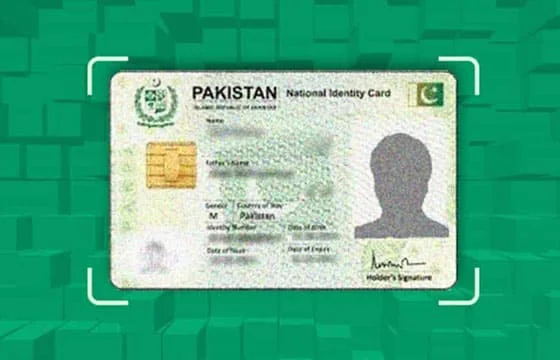
Introduction: The Hidden SIM Crisis
Did you know that there could be mobile SIM cards registered under your CNIC number without your knowledge? According to recent PTA data, over 2.8 million Pakistanis discovered unauthorized SIMs registered on their CNIC between 2022-2024, with some individuals finding 10-15 unknown numbers linked to their identity.
This isn’t just a privacy concern—it’s a potential security disaster. Unauthorized SIMs on your CNIC can be used for criminal activities, financial fraud, or even terrorism, with all legal responsibility falling on you as the registered owner.
This comprehensive guide reveals exactly how to check which SIMs are registered on your CNIC, how to remove unauthorized registrations, and how to protect your national identity card from future misuse.
Understanding CNIC-Based SIM Registration
The Biometric Verification System
In 2014-2015, Pakistan implemented mandatory biometric verification for all mobile SIM registrations. This revolutionary system was designed to:
- Combat terrorism by tracking mobile phone usage
- Reduce SIM-related crimes and fraud
- Create accountability in telecommunications
- Enable law enforcement tracking capabilities
- Prevent anonymous criminal communications
How It Works: Every SIM card activation requires:
- Physical CNIC card presentation
- Biometric fingerprint verification
- Live photograph capture
- Address and personal details confirmation
- Digital signature on verification form
This creates a permanent, traceable link between your national identity and every mobile number registered in your name.
Legal Framework
The biometric registration is governed by:
Prevention of Electronic Crimes Act (PECA) 2016
Mandates proper identity verification for telecommunications services.
Pakistan Telecommunication (Re-organization) Act 1996
Grants PTA authority to regulate SIM registration processes.
National Database and Registration Authority (NADRA) Act
Protects CNIC data and establishes verification protocols.
Why CNIC Verification Matters
Personal Security Risks:
- Criminal activities traced to your CNIC
- Financial fraud using your registered numbers
- Blackmail or harassment from numbers you don’t control
- Identity theft and impersonation
- Compromised security clearances
Legal Consequences:
- Police investigation if crime involves your registered SIM
- Potential criminal charges for activities you didn’t commit
- Court appearances and legal expenses
- Damaged reputation and credibility
- Travel restrictions or watch lists
Financial Implications:
- Unauthorized loans or credit using your SIMs
- OTP-based banking fraud
- Stolen account credentials
- Insurance fraud linked to your identity
- Bill payment disputes
How to Check SIMs Registered on Your CNIC
Method 1: PTA Official SMS Service (Recommended)
The Pakistan Telecommunication Authority provides a free, instant verification service.
Step-by-Step Process:
Step 1: Compose New SMS
Open your phone’s messaging app and create a new message.
Step 2: Enter Your CNIC Number
Type your complete 13-digit CNIC number without dashes. Format: XXXXXXXXXXXXX
Step 3: Send to 668
Send the message to the short code 668. No need to write anything else—just your CNIC number.
Step 4: Receive Instant Response
Within 10-30 seconds, you’ll receive an SMS reply listing:
- Total number of SIMs registered on your CNIC
- Network breakdown (how many on Jazz, Zong, Telenor, Ufone, SCOM)
- Query date and time
Example Response:
Dear Customer,
Total SIMs registered against CNIC XXXXX-XXXXXXX-X: 04
Jazz: 02
Zong: 01
Telenor: 01
Query Date: 13-Dec-2025 14:30
- PTA
Important Notes:
- Works from any Pakistani network
- Completely free service
- No data charges applied
- Available 24/7/365
- Response comes from official PTA number
Method 2: Live Tracker CNIC Verification
Advanced live tracker services provide more detailed information beyond just the count.
Process:
- Visit LiveTracker.org.pk
- Navigate to CNIC Verification section
- Enter your 13-digit CNIC number
- Complete security verification (if required)
- View comprehensive results including:
- Each individual mobile number
- Registration dates for each SIM
- Active/inactive status
- Detailed network operator information
- Registration location (city/area)
Advantages Over SMS Method:
- Shows actual mobile numbers, not just count
- Indicates which SIMs are currently active
- Provides registration history
- Identifies potentially suspicious registrations
- Can be used to track others’ SIMs (with proper authorization)
Method 3: Network Operator Verification
Each telecom company provides CNIC verification for their own network.
Jazz/Warid Verification:
- Visit nearest Jazz Business Center
- Bring original CNIC
- Request SIM list registered on your CNIC
- Receive printed statement
Zong Verification:
- SMS “CNIC [your CNIC number]” to 668
- Call customer service at 310
- Visit Zong customer care center
Telenor Verification:
- Dial *345# from Telenor number
- Select CNIC verification option
- Follow on-screen prompts
- Visit franchise for detailed list
Ufone Verification:
- Call 333 from Ufone number
- Request CNIC SIM verification
- Visit Ufone Service Center with original CNIC
Limitation: Each operator only shows their own network SIMs, not complete picture across all networks.
Method 4: NADRA E-Services Portal
NADRA’s digital services portal offers identity verification features.
Access Process:
- Visit nadra.gov.pk
- Navigate to Citizen Services
- Select Mobile Registration Verification
- Enter CNIC and verification code
- View registered SIMs report
Note: This service may require NADRA account creation and charges may apply for detailed reports.
Interpreting Your CNIC SIM Report
Normal vs Suspicious Patterns
Normal Registration Patterns:
Total SIMs: 2-5
Distribution: 1-2 per network
All personally recognized numbers
Registration location matches your address
Recent registration dates (within last 1-2 years)
Suspicious Patterns:
Total SIMs: 8+
Multiple SIMs from networks you don't use
Numbers you don't recognize
Registration from unfamiliar cities
Very old inactive SIMs
Registrations during periods you were abroad
Red Flags Requiring Immediate Action
Critical Warning Signs:
- More than 7 total SIMs – Unless you’re a business owner with legitimate need, this is excessive
- Unknown numbers – Any number you don’t personally use
- Foreign location registrations – SIMs registered in cities you’ve never visited
- Recent mysterious additions – New SIMs appearing within last 30 days
- All slots filled – Maximum allowable SIMs reached (limiting your ability to get new connections)
Understanding SIM Limits
PTA Maximum Limits:
- Individual Pakistani citizen: 7 SIMs maximum across all networks
- Overseas Pakistani: 2 SIMs maximum
- Foreign nationals: 1 SIM (special process)
- Corporate/business entities: Higher limits with proper documentation
If you’re at or near the maximum limit, you cannot register additional SIMs even for legitimate purposes until removing existing ones.
How Unauthorized SIMs Get Registered
Understanding the fraud mechanisms helps prevent future occurrences.
Common Fraud Methods
1. Photocopy CNIC Scams How It Happens:
- You provide CNIC photocopy for legitimate purpose (job application, rental agreement)
- Recipient sells or misuses the copy
- Fraudsters use CNIC copy at corrupt franchises
Prevention:
- Write specific purpose on each CNIC copy
- Add “Not Valid for SIM Registration” watermark
- Include date and “For [Company Name] Only”
- Never leave CNIC copies with strangers
2. Corrupt Franchise Operations How It Happens:
- Franchise operators register SIMs using customer CNICs without permission
- Sell registered SIMs to criminals
- Meet sales targets through fraudulent registrations
Prevention:
- Only visit official company-operated centers for major transactions
- Never hand over CNIC to staff members
- Supervise entire registration process
- Request and verify registration confirmation SMS
3. Lost or Stolen CNIC Cards How It Happens:
- Your CNIC is lost or stolen
- Finder uses it for fraudulent SIM registrations
- May continue for months before you discover
Prevention:
- Report lost CNICs to NADRA immediately
- File FIR with police
- Block all existing SIMs temporarily
- Get new CNIC with updated security features
4. Family Member Misuse How It Happens:
- Relatives or household members access your CNIC
- Register SIMs without your knowledge
- Particularly common with youth using parents’ CNICs
Prevention:
- Secure CNIC in locked storage
- Have open family communication about telecommunications
- Regular CNIC verification checks
5. Document Collection Services How It Happens:
- Agents collecting documents for visas, loans, or government applications
- Retain CNIC copies and sell to SIM fraud rings
Prevention:
- Use only verified, reputable service providers
- Demand return of all CNIC copies
- Request written confidentiality agreements
Removing Unauthorized SIMs: Step-by-Step Guide
Discovered unauthorized SIMs? Here’s exactly what to do.
Step 1: Document Everything
Create Comprehensive Record:
- Screenshot or photo of PTA verification SMS
- Live tracker verification results
- Date of discovery
- Complete list of unauthorized numbers
- Any suspicious activity associated with numbers
Step 2: Block Suspicious SIMs Immediately
For Each Unauthorized Number:
Jazz Numbers:
- Call 111 from any phone
- Select “Block SIM” option
- Provide your CNIC and unauthorized number
- Request immediate deactivation
- Get complaint reference number
Zong Numbers:
- Call 310 from any phone
- Request SIM blocking service
- Provide CNIC verification
- Follow agent instructions
- Note complaint ticket number
Telenor Numbers:
- Call 345 or visit franchise
- Submit written application with CNIC copy
- Request SIM termination
- Get written acknowledgment
Ufone Numbers:
- Call 333 customer service
- Request SIM de-registration
- Complete verification process
- Obtain confirmation
Timeline: Most operators block SIMs within 24-48 hours of verified request.
Step 3: File Official Complaint with PTA
Online Complaint Process:
- Visit pta.gov.pk/complaints
- Select “Unauthorized SIM Registration”
- Enter complete details:
- Your CNIC number
- List of unauthorized numbers
- Network operators
- Discovery date
- Upload supporting documents
- Submit complaint
- Receive tracking number
PTA typically responds within 7-10 business days and coordinates with operators for removal.
Step 4: Report to NADRA
NADRA Reporting:
- Visit nearest NADRA registration center
- Bring original CNIC
- File identity misuse report
- Request CNIC security flag
- Get incident reference number
This creates official record protecting you from future legal liability for activities on those unauthorized SIMs.
Step 5: Police FIR (For Serious Cases)
File FIR if unauthorized SIMs were used for:
- Criminal activities
- Financial fraud
- Harassment or threats
- Any illegal purposes
Required Documentation:
- Original CNIC
- PTA verification proof
- Details of unauthorized usage
- Any evidence of harm caused
Step 6: Follow Up Verification
30 Days After Complaint:
- Send new SMS to 668 with your CNIC
- Verify unauthorized SIMs are removed
- Check live tracker for confirmation
- Document successful removal
If SIMs Still Appear:
- Escalate complaint with PTA
- Contact network operator management
- Consider legal notice
- Report to Federal Investigation Agency (FIA) Cybercrime Wing
Protecting Your CNIC from Future Misuse
Preventive Security Measures
1. Physical CNIC Security
- Store original CNIC in secure location
- Carry photocopy for routine needs
- Use CNIC holder wallet with RFID protection
- Never leave CNIC unattended
2. Digital CNIC Protection
- Watermark all digital CNIC copies
- Include “For [Purpose] Only – Not Valid for SIM Registration”
- Add date and intended recipient name
- Use lower resolution for uploads (clear enough to read but not for high-quality fraud)
3. Smart Copy Distribution
- Track who receives CNIC copies (maintain log)
- Limit photocopies to absolute necessity
- Request return of copies after purpose completed
- Use NADRA E-CNIC app for digital verification instead of physical copies
4. Regular Monitoring
- Verify CNIC SIMs monthly via SMS to 668
- Set calendar reminder (first of each month)
- Immediately investigate any count increases
- Keep history of verification messages
5. Family Education
- Teach family members about CNIC security
- Explain risks of unauthorized SIM registration
- Create family policy for CNIC handling
- Supervise minor children’s telecommunications needs
Advanced Protection Strategies
NADRA Security Lock NADRA offers enhanced security for frequently misused CNICs:
- Biometric lock requiring fingerprint for any transaction
- Special flag in system alerting operators to verify identity carefully
- Additional documentation requirements for SIM registration
- Higher security CNIC card with updated features
Digital Identity Verification Use Pakistan Citizen Portal and NADRA apps:
- Digital CNIC available on smartphone
- QR code verification for authenticity
- Real-time validation without physical card
- Reduced need to share physical CNIC
Corporate Partnership Verification For businesses requiring employee CNIC verification:
- Use third-party verification services
- NADRA API integration for instant checking
- No physical CNIC copies needed
- Audit trail of verification activities
Special Scenarios and Solutions
Scenario 1: Overseas Pakistani
Challenge: Discovered unauthorized SIMs while living abroad
Solution:
- Use PTA online complaint system (accessible internationally)
- Authorize Pakistani relative with power of attorney
- Use email/phone with network operator international support
- File complaint through Pakistan embassy if needed
- Use live tracker services accessible worldwide
Scenario 2: Deceased Person’s CNIC
Challenge: Family member passed away, need to deactivate their SIMs
Solution:
- Obtain death certificate from NADRA
- Visit each network operator with:
- Death certificate
- Your CNIC (legal heir)
- Deceased’s CNIC copy
- Submit written application for SIM termination
- Clear any outstanding bills
- Request written confirmation of closure
Scenario 3: Minor Children’s CNICs
Challenge: Child’s CNIC has unauthorized SIMs (particularly common with Form-B juvenile CNICs)
Solution:
- Parent/guardian files complaint
- Provide proof of guardianship
- Request immediate blocking
- File FIR if systematic misuse detected
- Consider CNIC reissuance
Scenario 4: Multiple Simultaneous Unauthorized Registrations
Challenge: Discovered 10+ unauthorized SIMs across all networks
Solution:
- File comprehensive FIR with Cybercrime Wing
- Submit mass complaint to PTA
- Request emergency CNIC security measures from NADRA
- Consider legal action against identified perpetrators
- Media/consumer protection authority involvement if operators unresponsive
Real-World Case Studies
Case Study 1: The Identity Theft Ring
Situation: Ahmed from Rawalpindi discovered 14 SIMs registered on his CNIC during routine verification. He personally used only 2 numbers.
Investigation:
- 12 unauthorized SIMs from various networks
- Registered across 4 different cities
- Registration dates spanning 18 months
- Several numbers involved in reported frauds
Action Taken:
- Immediately blocked all unauthorized SIMs
- Filed FIR with FIA Cybercrime Wing
- PTA investigation revealed corrupt franchise operation
- Three arrests made at fraudulent registration center
Outcome:
- All unauthorized SIMs deactivated
- PKR 350,000 compensation received
- Criminal prosecutions initiated
- CNIC security enhanced
Timeline: 45 days from discovery to resolution
Case Study 2: The Lost Wallet
Situation: Fatima lost her purse containing CNIC in March 2024. She reported to police but didn’t follow up with PTA or operators.
Discovery: Six months later, received calls from debt collectors about unpaid mobile bills for numbers she didn’t recognize.
Action Taken:
- Verified CNIC – found 5 unauthorized SIMs
- Filed delayed FIR with police
- Submitted complaints to all operators with police report
- Requested bill waivers citing identity theft
- NADRA issued replacement CNIC with security flag
Outcome:
- SIMs blocked after 2 weeks
- Bills waived after proving theft
- Credit record cleared
- Learned importance of immediate reporting
Lesson: Act immediately when CNIC is lost or stolen.
Case Study 3: The Corrupt Agent
Situation: Business owner provided CNIC copies to visa processing agent. Months later, discovered 8 unauthorized SIMs.
Investigation:
- All registrations occurred during visa processing period
- All from same franchise location
- Agent had registered SIMs for multiple clients
Action Taken:
- Gathered evidence linking registrations to agent
- Filed complaint with PTA and police
- Civil lawsuit against visa processing company
- Media coverage highlighting fraud
Outcome:
- Agent arrested and convicted
- Company forced to compensate victims
- License revoked for franchise involved
- Industry-wide awareness raised
CNIC Verification Best Practices Summary
Monthly Checklist
First Week of Month:
- [ ] Send SMS to 668 with CNIC number
- [ ] Compare result with previous month
- [ ] Verify live tracker if count increased
- [ ] Document in personal records
Quarterly Actions:
- [ ] Detailed verification of each registered number
- [ ] Confirm all numbers still in your possession
- [ ] Update contact information with operators
- [ ] Review and update security measures
Annual Review:
- [ ] Comprehensive CNIC security audit
- [ ] Deactivate unnecessary SIMs (consolidate numbers)
- [ ] Update NADRA records if changed address
- [ ] Consider CNIC reissuance with updated features
Emergency Response Plan
If Unauthorized SIMs Discovered:
Hour 1:
- Document everything
- Block SIMs with operators
Day 1:
- File PTA complaint online
- Submit operator-specific complaints
- Alert family members
Week 1:
- File police FIR if serious
- Report to NADRA
- Monitor for resolution
Month 1:
- Follow up on all complaints
- Verify removals
- Implement enhanced security
Conclusion: Your CNIC, Your Responsibility
Your CNIC is more than just an identity card—it’s the key to your entire digital life in Pakistan. Every SIM registered on your CNIC is legally your responsibility, regardless of whether you personally use it or even know it exists.
The good news?
You’re now equipped with complete knowledge to:
- Check which SIMs are registered on your CNIC
- Identify unauthorized registrations immediately
- Remove fraudulent SIMs through proper channels
- Protect your CNIC from future misuse
- Help family and friends do the same
Take Action Today:
- Send SMS to 668 with your CNIC right now
- Verify the results match your expectations
- If discrepancies exist, start the removal process immediately
- Set monthly reminder for future verification
- Share this guide with your family
Remember: Prevention is easier than cure. Regular verification and smart CNIC handling prevent the nightmare of discovering your identity has been misused for criminal activities.
Quick Reference Emergency Contacts:
PTA Complaint: complaint@pta.gov.pk | 051-9102888
FIA Cybercrime: complaint.nr3c@fia.gov.pk | 1991
NADRA Helpline: 051-111-786-100
Jazz: 111 | Zong: 310 | Telenor: 345 | Ufone: 333
Verify your CNIC today. Protect your identity tomorrow.
4 thoughts on “How Many SIMs Are Registered on Your CNIC? Complete Verification Guide”